AI agent for medical and dental practices: appointments, reminders and emergencies on WhatsApp
An AI agent for medical and dental practices handles the WhatsApp where your patients already write to you: it books appointments against the doctor's or dentist's real availability, confirms, sends reminders, answers prices and requirements, and hands any emergency or clinical question to a person. Here we explain what it should do, what it must never do, how it connects to the practice's calendar and what care health information requires.
In this article
What does an AI agent do on a practice's WhatsApp?
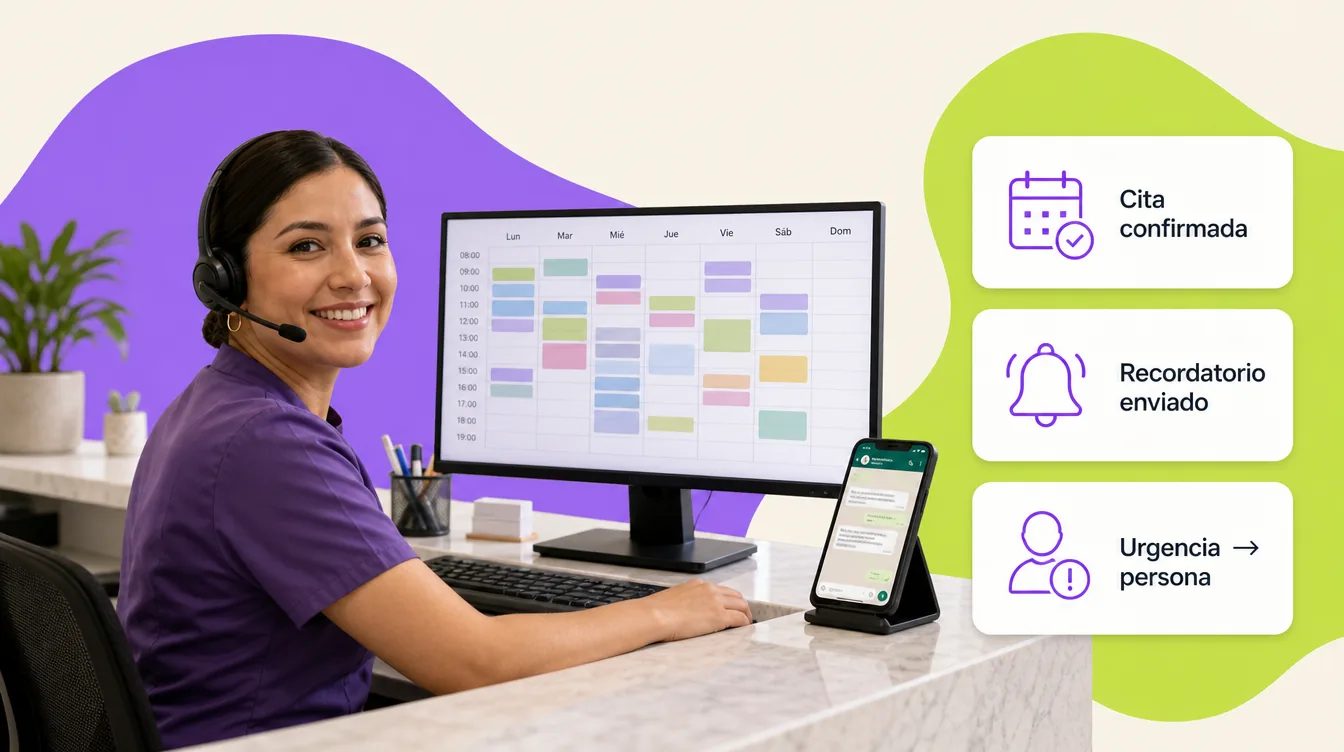
It books, confirms and reminds. It answers the questions the front desk answers fifty times a day (fees, hours, location, whether you take insurance, what to bring to the first visit) with the practice's official information and, when the patient describes symptoms or an emergency, it stops answering on its own and hands the conversation to a person with full context.
- Appointments against real availability: it checks the doctor's calendar and offers two or three concrete slots.
- Confirmation and reminders a day before and a few hours before, with the option to reschedule in the same chat.
- Waiting list: when someone cancels, it offers the opening to whoever asked for “as soon as possible”.
- Frequent questions: consultation and procedure fees, payment methods, parking, prior requirements.
- Follow-up: reminders for check-ups, the six-month cleaning or results ready for pickup.
What must an agent never do in healthcare?
Diagnose, recommend medication, interpret tests or downplay an emergency. The agent may ask what is needed to book and to alert the team, but the clinical answer always comes from a person. This rule is written into its instructions and tested with reper monthsages before publishing.
| Patient's message | What the agent does | What it does not do |
|---|---|---|
| “How much is the consultation?” | Gives the current fee and offers to book | Promise discounts that do not exist |
| “I have an appointment tomorrow, can I move it?” | Shows openings and reschedules in the calendar | Leave the original slot blocked |
| “It has hurt a lot since yesterday” | Shows empathy, flags urgency and hands off to the on-call person | Suggest a painkiller or dismiss the emergency |
| “Did my results come back fine?” | Says a professional will review them and books the call | Interpret the test |
| “What do I bring to the first visit?” | The practice's list of requirements and documents | Ask for sensitive data it does not need |
How does it connect to the practice's calendar and system?
The agent reads and writes to the calendar you already use: Google Calendar, Outlook or the appointments module of your records system. For each doctor you define duration per consultation type, hours and blocks; the agent only offers what is free and, on confirmation, creates the appointment with name, phone and reason. If the practice has several locations, it first asks which one the patient wants.
- Discovery: what patients ask, what the front desk answers and where appointments are lost.
- Official information: fees, hours, cancellation policies and requirements, reviewed by the practice manager.
- Calendar and rules: duration per service, arrival times, what books automatically and what needs a prior assessment.
- Escalation: who receives emergencies at night and on weekends, and through which channel.
- Pilot and measurement: two weeks with real patients, conversation review and adjustments before opening it to everyone.
What about patient data?
Health information is sensitive personal data in Mexico, so the practice must have a privacy notice that mentions WhatsApp care and obtain the patient's consent to process their data through that channel. The agent asks only what is needed for the appointment, does not keep conversations longer than defined and the people with access to the history are those the practice authorizes. This is technical guidance, not legal advice: review the notice with your advisor.
If the clinic already runs an information security management system or wants to, we align access, vendors and records with our ISO 27001 consulting. The service details for your field are at AI agent for medical practices and AI agent for dental clinics.
What changes for the front desk and the doctor?
The front desk stops answering the same thing fifty times and receives conversations already resolved or already qualified; the doctor sees a calendar with fewer empty slots and fewer no-shows from forgetting. And the patient who writes at 9:07 p.m. gets their appointment on the spot, not the next morning when they already got one elsewhere; that story is told in how many customers you lose by replying late.
If you wonder whether your practice needs an agent or a button menu is enough, the comparison is in chatbot vs AI agent; what determines the monthly cost, in what an AI WhatsApp agent is and what it costs.
I want my agent: how do we start?
Your front desk cannot be awake at 9:07 p.m.; your agent can, and tomorrow the calendar will already have the appointment. Tell us what your customers ask ten times a day in the “I want my agent” form and we propose the scope of the first agent, with the channels, the calendar and the integrations your business already uses. If you would rather see it before talking to anyone, upload your own documents to the trial bot and ask it what a customer would ask you: that is how an agent that answers only with your information feels. The full service is at AI WhatsApp agent.