Meta Pixel Saltar al contenido
Technical skills courses

Excel course for companies

A business Excel course for people who already use Excel every day and still do by hand what the tool can do on its own. You learn the functions that carry most of the operational workload, pivot tables, Power Query to clean and consolidate data, and dashboards that refresh with one click, with no VBA programming. With a DC-3 certificate filed with Mexico's STPS.

Excel course

What is the business Excel course?

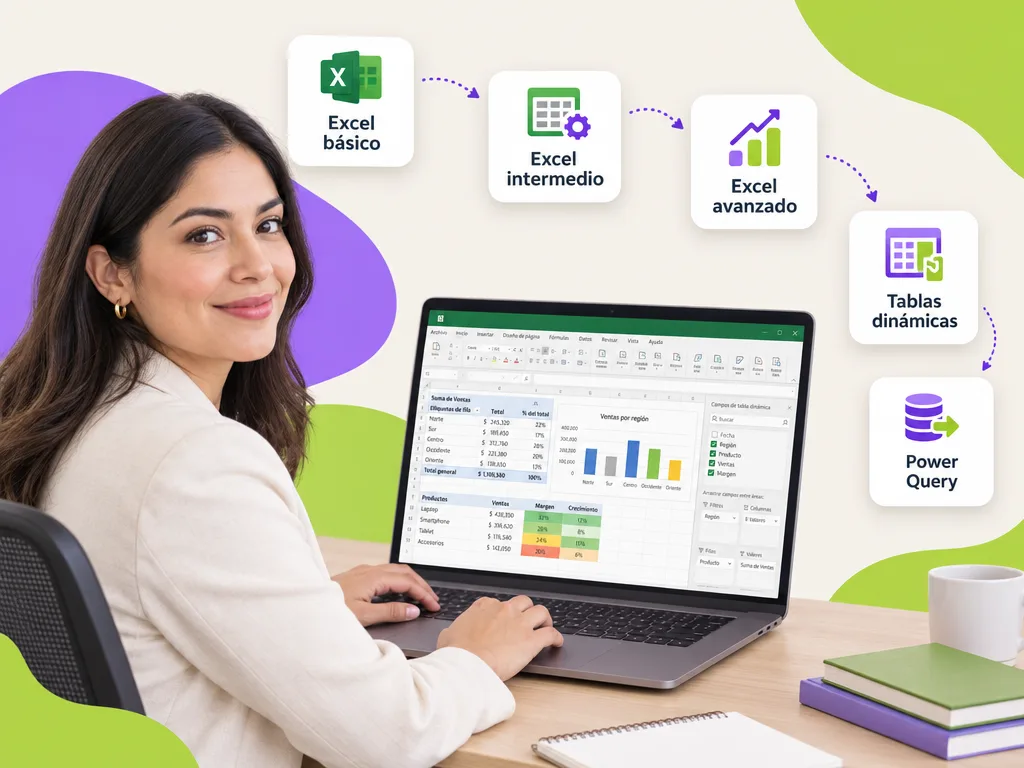
It is a 16-hour program that takes employees from basic Excel use to professional business use: lookup and logical functions, structured tables, pivot tables, Power Query to clean and consolidate data from several sources, and dashboards with indicators. It runs live virtual, on-site or self-paced and includes a DC-3 certificate.

How long is the course and how is it delivered?

The excel course is 16 hours long. It runs on-site at your company, live virtual for teams in several locations or self-paced on the platform; every participant who meets attendance and assessment receives a DC-3 certificate with the STPS, and Geedle Bot answers questions afterwards with the exact minute of the recording.

Duration

16 hours

Formats

Live virtual · On-site · Self-paced

Certificate

DC-3 · STPS

AI agent

Geedle Bot answers questions 24/7 with the exact minute of the recording

Investment

Proposal with three scope options and a closed price in under 24 business hours

Choose the right level for your team

Three independent levels, each with its DC-3; hire one or chain them as a learning path.

What your team will be able to do

Learning objectives observable on the job.

  • Master the functions businesses use most

    XLOOKUP, IF and its variants, SUMIFS, text and date functions, with well-built references and structured tables.

  • Analyze with pivot tables

    Summarize, group, slice and compare periods without complex formulas.

  • Clean and consolidate data with Power Query

    Import from several sources, transform and refresh with one click, no VBA.

  • Build indicator dashboards

    Design a clear dashboard with the right charts and slicers that refreshes on its own.

Syllabus

What does the course syllabus include?

Six modules in order, each with a deliverable you apply in your operation the following week. Exercises use real files and cases from your organization, each module's assessment is recorded on the platform and serves as evidence for the DC-3 certificate.

  1. Solid foundations for working with data

    Structured tables, references, data validation, conditional formatting and good housekeeping in a workbook.

    Tidy base workbook
  2. Lookup, logical, text and date functions

    XLOOKUP, INDEX and MATCH, IFS, SUMIFS, text and date functions for the operation.

    Solved formula sheet
  3. Pivot tables in depth

    Fields, grouping, slicers, timelines, calculated fields and period comparisons.

    Pivot-table analysis
  4. Power Query: clean and consolidate

    Import from files, folders and sheets, clean columns, append, merge and refresh without redoing the work.

    Consolidation query
  5. Data model and charts that communicate

    Relationships between tables, simple measures, choosing the right chart and common mistakes when presenting data.

    Report charts
  6. The area's indicator dashboard

    Dashboard design, connected slicers, automatic refresh and delivery to leadership.

    Area dashboard
01

Who is this course for?

Analysts, administrative staff, accountants, buyers, supervisors, sales, logistics and HR staff: any role that reports, reconciles or decides with data in Excel. Basic familiarity with the tool is required. We run a quick diagnostic at the start to adjust the pace and use your own files in the exercises.

02

What changes in the operation after the course?

Reports that used to take hours refresh in minutes with Power Query and pivot tables, fewer copy-paste errors, tidy files that someone else can understand and maintain, and dashboards with indicators that leadership consults directly. Every participant finishes with their own template applied to a real report from their area.

Level test

What Excel level does your team need?

Eight questions, two minutes. We tell you whether basic, intermediate or advanced fits, and you can request a quote for that level right away.

1How do you write a sum or an average?
2Do you use absolute references ($A$1) when copying formulas?
3How do you match two lists (for example, employees and payroll)?
4Do you use pivot tables?
5How do you prevent data-entry errors?
6How do you consolidate files from several areas or months?
7Have you used functions like FILTER, UNIQUE or LET?
8Do you automate repetitive tasks?

Want this course at your company?

Request the proposal for the excel course: three scope options with a closed price in under 24 business hours.

For companies, universities and government

01

For companies

From the administrative assistant to the analyst: every role gets the level it needs and leaves with a real file from its operation (inventory, payroll, quotes, weekly report) solved with method. We combine it with the courses for retail and services.


02

For universities

Administrative, registrar and finance areas that consolidate reports from several faculties in shared sheets: data validation, pivot tables and Power Query so closings do not depend on a single person. It is part of the courses for university administrative staff.

03

For government

Registries, official letters, budget and quarterly reports that are entered by hand today: validated forms, matches between databases and dashboards for planning and comptroller liaisons. You will find it within the courses for government and the public sector.

When is Excel enough and when do you need Power BI?

Excel solves most administrative work; Power BI comes in when there are several sources, many rows or several readers. This table helps you avoid paying for one tool too many or too few.

NeedExcelPower BI
Capture, calculate and deliver a reportIts natural groundUnnecessary
Summarize with pivot tablesIntermediate levelEquivalent with a model
Consolidate files from several areasPower Query (advanced level)Model that refreshes on its own
Compare periods and running totalsFormulas per sheetReusable DAX measures
Several readers with different permissionsProtected copiesRow-level security
More than a million rowsSheet limitBuilt for that volume
Case studies

Projects we have already delivered

Real projects told with facts, not promises.

  • One team from start to finish. Pedagogy, design, development and consulting — nothing critical subcontracted.
  • Fixed price, no surprises. A proposal with three scopes and a closed price for each. You choose the size of the step.
  • We listen before we quote. A free, no-strings assessment: you keep a useful report even if we don’t work together.
Participant asking Geedle Bot on a laptop at night; the agent replies with minute 42:15 of the course recording
Artificial intelligence

An AI agent supports every participant during and after the course

Geedle Bot is trained on the syllabus, materials and recordings of your course. Participants ask in plain language and get an exact answer, not a generic one.

  • Knows every detail of the course: dates, syllabus, deliverables and certificate criteria
  • Solves problems in real time, at any hour, from Moodle, WhatsApp, Teams or Slack
  • Delivers the exact minute and second of the recording where the instructor explained the topic
  • Reinforces what was covered with summaries and review questions, and escalates to the instructor when needed
  • Shows HR which topics raise the most questions so the course can be adjusted

Where is the Excel course delivered?

On-site at your company in the nine locations where we have a team (Mexico City, Puebla, León, Guanajuato, Monterrey, Nuevo León, Guadalajara, Querétaro and Toluca), live virtual for teams in any city and self-paced on the platform across Mexico. Each location page explains the approach for the local industry.

FAQ

Frequently asked questions about the excel course

Get a quote for this course for your team

Tell us how many people, in which city and in which format. We reply the same day, free and with no commitment.

Enter the VIP Zone

Geedle clients only. No passwords: we send a code to your email.

or

Not a client yet? Request your free diagnosis · Privacy notice

Choose your assessment

Answer 8 questions in 3 minutes and get your result with recommendations from a consultant.