Eisenhower matrix: how to prioritize tasks at work (with a template for teams)
Almost every team has the same complaint: the day goes to what is urgent and what is important gets left "for later". The Eisenhower matrix is the simplest tool to separate the two and decide, in seconds, what gets done now, what gets scheduled, what gets delegated and what gets dropped. Here is the explanation, office examples and a template to use it as a team every week.
In this article
- What is the Eisenhower matrix?
- Important vs urgent: the difference almost nobody applies
- The four quadrants with office examples
- How to classify a task in 30 seconds
- How to use the matrix as a team: the 15-minute weekly meeting
- Common mistakes when using the Eisenhower matrix
- Want to bring this to your team?
What is the Eisenhower matrix?
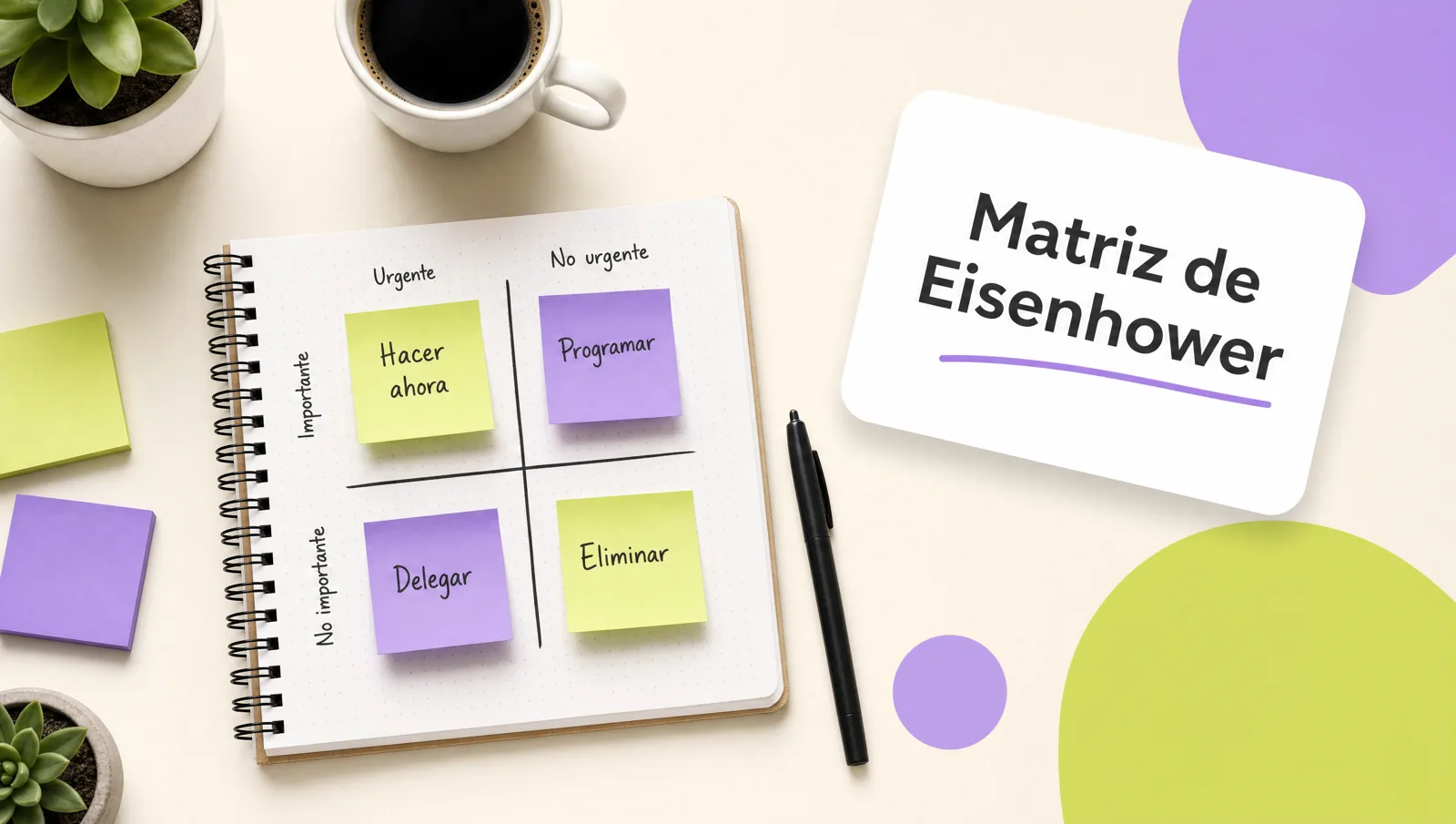
It is a two-axis grid, importance and urgency, that sorts tasks into four quadrants with one action each: do it now, schedule it, delegate it or drop it. Its value is not the drawing but forcing two questions before acting.
It is attributed to a remark by Dwight Eisenhower and was popularized by Stephen Covey under the name "quadrants". Important is whatever moves a result the area cares about: a goal, a customer, a legal obligation. Urgent is whatever has a close deadline or someone waiting on it. The trap is that urgency announces itself with a notification; importance has to be thought through.
Important vs urgent: the difference almost nobody applies
Important produces a result the business cares about even if nobody asks for it today; urgent demands an immediate answer even if it changes nothing. They get confused because urgency arrives with a sound and importance does not.
The email from the director with "URGENT" in the subject gets handled in ten minutes; the performance review that defines the team's bonuses gets pushed back three weeks. A quick test to avoid it: "if I do not do this this week, what happens?". If the answer is "nothing visible", it is almost certainly important and not urgent, which is exactly the quadrant that gets abandoned first.
The four quadrants with office examples
Each quadrant has one action and admits no other: do, schedule, delegate or drop. The table shows typical office tasks in each so the team can recognize itself.
| Quadrant | What to do | Office examples |
|---|---|---|
| I. Urgent and important | Do it today, yourself | Customer with a stalled order; tax filing due tomorrow; production failure; escalated complaint |
| II. Important, not urgent | Schedule it with a date and a block | Quarterly budget; training the team; documenting a process; 1:1 with each team member |
| III. Urgent, not important | Delegate or contain | Almost every email marked "urgent"; supplier calls that can wait; reports someone asks for and nobody reads |
| IV. Neither urgent nor important | Drop it | Meetings with no agenda or decision; checking chat every five minutes; rebuilding a template that already exists |
Quadrant II is where the month is won. A team living in quadrant I is putting out fires that, for the most part, started from not handling quadrant II weeks earlier: the process nobody documented, the person nobody trained, the budget put together in a rush.
How to classify a task in 30 seconds
Ask two questions in order: "what happens if this is not done this week?" and "does this person have to do it?". The first sets importance; the second decides delegation. The rest is writing it properly.
- Write the task with a verb and a deliverable. "Send quote 118 to Ruiz", not "quote". A task you cannot start, you cannot classify.
- Importance question. Does it move an area goal, a customer or a legal obligation? If yes, it is important. If the answer is "so-and-so asked for it", you do not know yet.
- Urgency question. Is the deadline within 48 hours, or is someone blocked waiting for it? If yes, it is urgent.
- Place it in its quadrant and apply the action. If it lands in III, write who it goes to and tell them. If it lands in IV, delete it and do not keep it "just in case".
- Quadrant II tasks leave with a date and a calendar block today. Otherwise, in three weeks they will be in quadrant I.
How to use the matrix as a team: the 15-minute weekly meeting
A shared matrix on a whiteboard or document, reviewed for 15 minutes every Monday, aligns priorities without adding meetings: each person brings their tasks for the week already classified, the team reviews them by quadrant and the manager settles disagreements.
The template we use in the time management course splits the time like this:
- Minute 0 to 3. Each person posts their tasks for the week, seven at most, already placed in a quadrant.
- Minute 3 to 8. Quadrant I only. Mandatory question: what here landed in this quadrant because it was not handled earlier? The cause gets written down so it does not repeat.
- Minute 8 to 12. Quadrant II. Each task leaves with a date, a calendar block and an owner. Without all three, it does not count as planned.
- Minute 12 to 14. Quadrant III. Decide what gets delegated, to whom, and what gets answered with "we will look at it on Thursday".
- Minute 14 to 15. Quadrant IV. Dropped out loud. Nobody defends a task in this quadrant for more than twenty seconds.
It works on a physical whiteboard, a shared sheet or whatever board you already use. What matters is that the manager takes part and arbitrates: if they keep sending quadrant III "urgents" at seven in the evening, the matrix dies in two weeks. That is why we also work on it in the leadership course, with managers before teams.
Common mistakes when using the Eisenhower matrix
The three most frequent mistakes are classifying by who asked instead of by the result, leaving quadrant II without dates, and using the matrix one Monday only to abandon it the next.
- Everything lands in quadrant I. If more than 30% of your week is "urgent and important", you do not have a priority problem but a workload or planning problem. It is worth raising with your manager and reviewing workload, which is also a factor under NOM-035 and a source of avoidable stress.
- Classifying by hierarchy. A request from the director is not important because it comes from the director; it is important if it moves a result. Sometimes it is quadrant III and gets a short reply.
- Delegating in your head. Quadrant III is not delegated by thinking about it; it is delegated with a message that says what, to whom and by when.
- Confusing "important to me" with "important to the area". The team matrix corrects this because everyone else can see it.
In the time management course each participant classifies their real week, builds their matrix and leaves with the team template ready for the following Monday. If the problem is broader than time, the soft skills catalog covers the rest.
Want to bring this to your team?
We work with your team's real calendar: each person classifies their week, the group builds the shared matrix and leaves with the 15-minute routine ready for Monday. Message us on WhatsApp, fill out the contact form or open this site's live chat: we send a proposal with three scope options and a closed price in under 24 business hours, with the DC-3 certificate and Geedle Bot included. The full program is at the time management course and the catalog at training courses for companies.