What Power BI level does my team need: basic, intermediate or advanced
Hiring the wrong Power BI level has two endings: a bored group that already knew everything, or a group lost from the second hour. This guiofscribes what each level solves, the concrete signs that place a team and the three most common mistakes when deciding.
In this article
- The three levels, one sentence each
- Signs that place your team at the basic level
- Signs of the intermediate level
- Signs of the advanced level
- Three mistakes when choosing a level
- A two-minute test
- A case: the finance team that "already used Power BI"
- What to ask the provider before hiring
- Want to bring this to your team?
The three levels, one sentence each
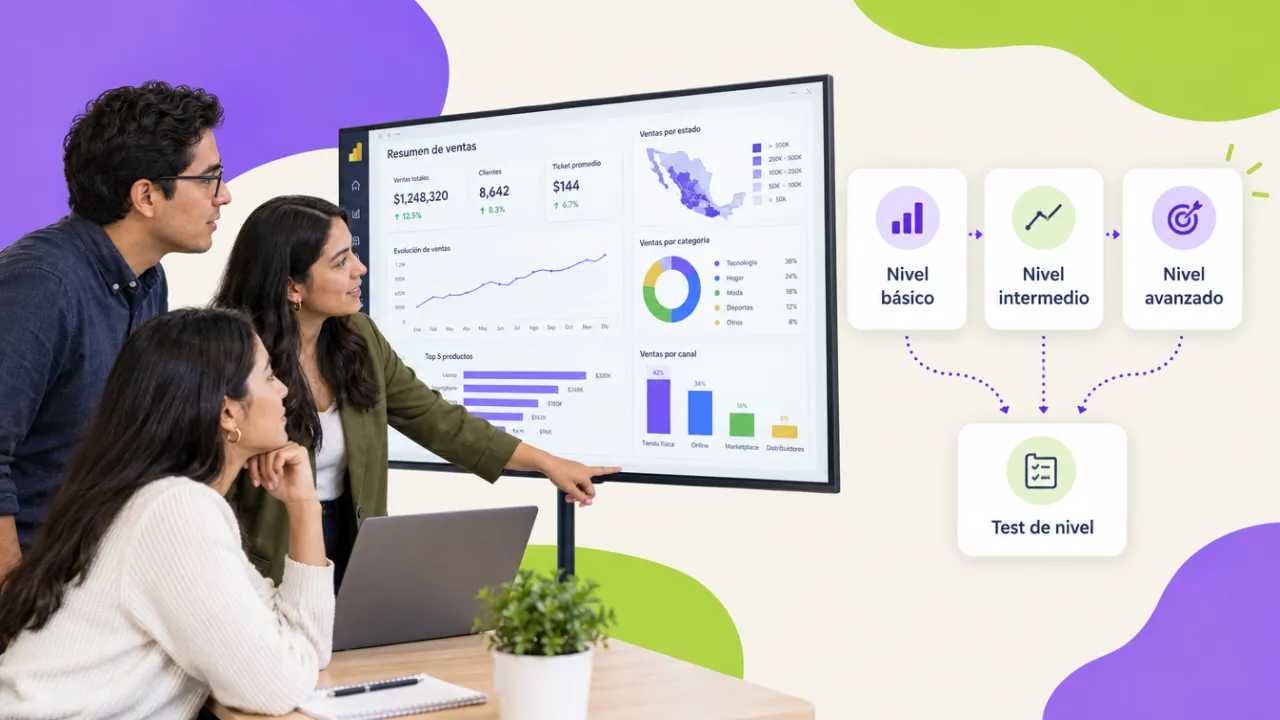
- Basic: from zero to a published dashboard. Power BI Desktop, Power Query, a simple model, sum and count measures, visuals and publishing.
- Intermediate: from "I publish dashboards" to "my numbers are reliable". Star-schema model, CALCULATE and contexts, time intelligence, several sources and multi-page dashboards.
- Advanced: from "my dashboards work" to "my dashboards scale". Advanced DAX, performance, row-level security, incremental refresh and service governance.
Signs that place your team at the basic level
They have never opened Power BI Desktop or have only viewed dashboards made by others. They clean data by hand in Excel. Their "model" is a single sheet. They do not know what DAX is. They publish by email or do not publish. If you ticked three or more, the Power BI basic course is the starting point; twelve hours and each person leaves with a real dashboard in production.
Signs of the intermediate level
They already publish dashboards, but measures return odd numbers when filtered, they cannot compare against last year without helper columns, the model mixes tables without a calendar table and every report rebuilds the same measures. This is the most frequent level in companies that adopted Power BI on their own: they know how to use the tool, not how to model. The Power BI intermediate course solves exactly that with their own data.
Signs of the advanced level
Dashboards take long to open, each manager should see only their region and today it is solved with copies, scheduled refresh fails, there are dozens of reports in the service with no order and nobody knows where each number comes from. It is the profile of whoever maintains the organization-wide dashboards. The Power BI advanced course covers performance, row-level security, dataflows and governance.
Three mistakes when choosing a level
- Sending everyone to the same level. In a team of eight there are usually three basic, four intermediate and one advanced. A level diagnostic before quoting avoids the mixed group that works for nobody.
- Choosing advanced "so they learn more". Without a star schema or CALCULATE, advanced is incomprehensible. Levels are cumulative: each assumes the previous one.
- Confusing using with building. A director who reads dashboards needs no level; they need a two-hour induction. Levels are for those who build.
A two-minute test
The Power BI course page has an eight-question test (how they clean data, how many tables their model relates, how comfortable they are with DAX, how they publish) that recommends the level and lets you request a quote right away on WhatsApp. If you prefer, send us an anonymized .pbix file and we tell you the level the same day.
A case: the finance team that "already used Power BI"
A corporate office asked us for the advanced course for its finance team because "they have been on Power BI for a year". The eight-question diagnostic showed something else: two people published dashboards on a single table with no calendar, four only consulted them and one had tried CALCULATE without success. We set up an intermediate group for the three who built and a two-hour induction for those who consulted. Eight weeks later, the monthly close had a star-schema model and a catalog of twelve measures every report reused. Had we delivered advanced, we would have lost seven out of eight in the first session.
What to ask the provider before hiring
- How do you determine each participant's level before starting?
- Does the course work with our own .pbix files or with sample data?
- What concrete deliverable comes out of each level and who reviews it?
- What happens with questions after the course?
- Is the certificate a DC-3 and does the evidence stay available for an inspection?
Want to bring this to your team?
We diagnose each person's level with the test or a real file, and set up groups by level so nobody gets bored or lost. Message us on WhatsApp, fill out the contact form or open this site's live chat: we send a proposal with three scope options and a closed price in under 24 business hours, with the DC-3 certificate and Geedle Bot included. The full program is at the Power BI course in three levels and the catalog at training courses for companies.