


More scenarios for HR
Complete induction with the fire extinguisher and evacuation simulator and the customer service role-play for service roles.

Platforms
Course production
Online course production
From content to SCORM, in your city
Instructional design for courses
Objectives, script and storyboard
Course content design
Writing, scripts and graphic design
Gamified courses
End-to-end SCORM production
Interactive videos
Decisions and assessment in video
Learning objects
Interactive micro-content
Moodle Plugins
Artificial intelligence
ISO 9001 — Quality
ISO 14001 — Environmental
ISO 45001 — Safety
ISO services
Formats
Learn
A virtual onboarding tour that runs in the browser: Vale, the avatar guide, walks the new hire through reception and the office floor, explains access, culture, safety and how to start a first project, and confirms with questions what they learned. This is how every new hire gets the same welcome, at any site and before setting foot in the office.
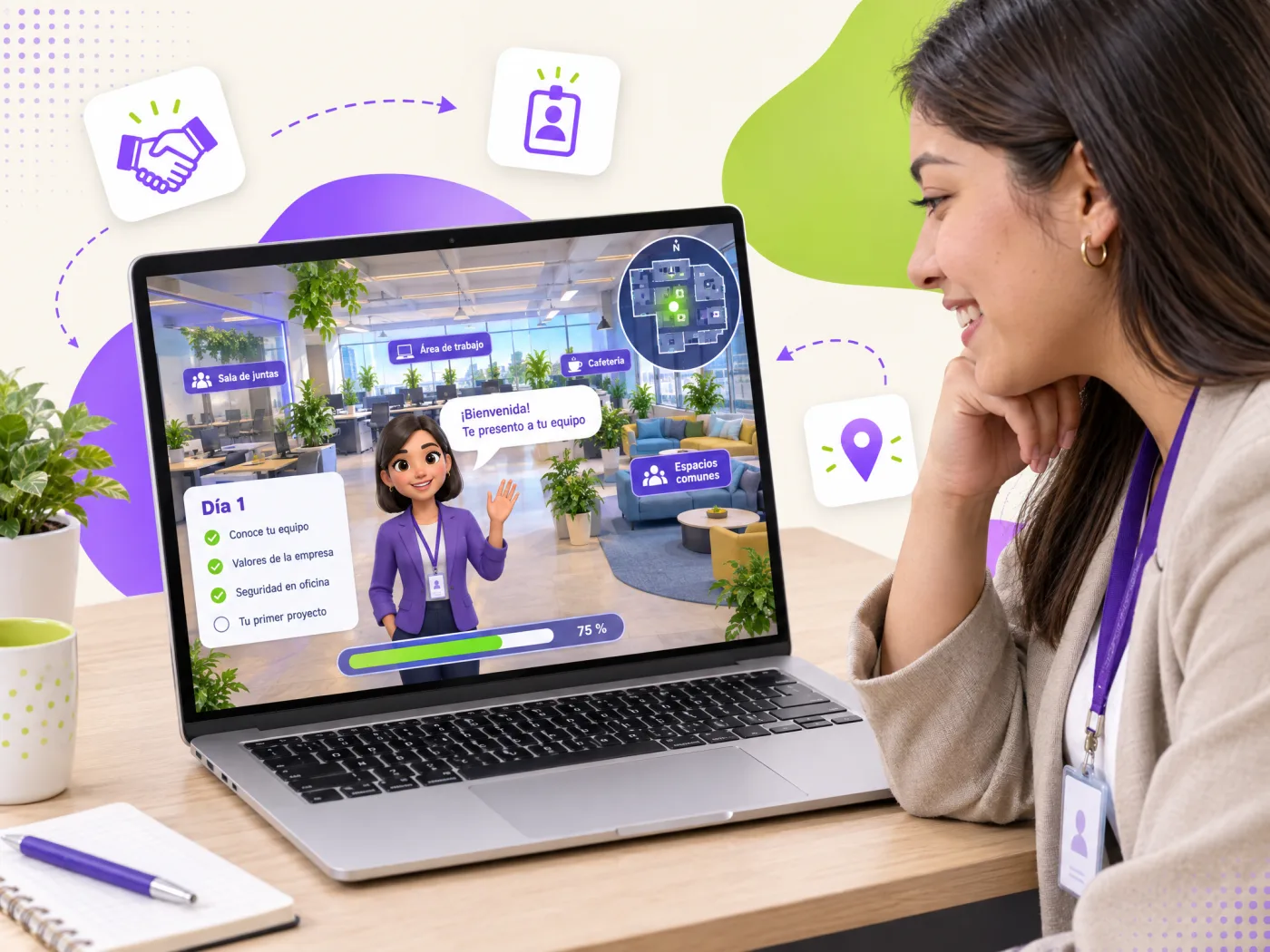
Two 360° scenes (reception and office floor), nine guided steps, twelve information points and three questions that confirm learning.
It is an interactive tour of the company's real facilities, photographed in 360°, in which an avatar guide accompanies the new hire and explains what they need to know on day one: how to get in, where their spot is, whom to go to, how to stay safe in an emergency and how the culture is lived. Every area has information points and the tour ends with questions that confirm learning and are recorded in the LMS. It replaces the first hours of "follow me and I will explain" with a consistent experience for everyone, including remote staff and other sites, and frees HR and the lead for the conversation that really matters.
What a new employee needs to know on the first day, in the order they experience it.
Badge, visitor sign-in, front desk hours and badge-operated elevators.
Values explained as day-to-day decisions, with a question that puts them to the test.
Shared desk, spot booking, locker, laptop and access delivered by IT.
Meeting room and its rules, kitchen and dining area, phone booth and open-floor etiquette.
Safety board, extinguisher, first-aid kit, evacuation map, assembly point and what to do when an alarm sounds.
How to clarify scope with the lead, the buddy's role and the first deliverable in week one.
Because the first day defines the employee experience and almost always depends on who is available to receive them. A virtual tour guarantees everyone gets the same information, in the same order and with the same tone, even if they start at different sites, remotely or on a day their lead is traveling. The person arrives knowing the space, the basic rules and the safety setup; HR and the lead devote the in-person time to introducing the team and the project. And the final questions leave evidence that induction was completed, useful for training records and for measuring onboarding quality per cohort.
The 360° tour is the "know the place" part. A complete onboarding program adds the director's welcome, policies (code of conduct, information security, hours and benefits), internal systems, mandatory safety induction by role and a 30-60-90 day plan with the lead. All of it is published in the LMS as a learning path with dates, automatic reminders and, at the end, an "onboarding completed" micro-credential.
We photograph your facilities in 360° (reception, floors, plant, cafeteria, parking), write the texts with your HR team, create an avatar guide with your identity (or use a real person from your team on video) and add the questions that confirm what matters in your company. Delivered as a SCORM or xAPI package for your LMS, in Spanish and English if needed, and updated when facilities or policies change.
Data for HR and for induction evidence.
Which information points they consulted and which they skipped in each area.
Whether they located the safety board, extinguisher, first-aid kit and evacuation route.
What they answered about values, first project and the fire alarm, with every attempt.
Whether they followed the tour in order or skipped areas.
How long induction took and where they lingered the most.
Every action as an "actor-verb-object" statement for your LMS's LRS.
Quote your company's virtual onboarding: three scope options with a closed price, from the 360° tour to the full program in your LMS.
The tour does not replace the human welcome: it makes it better, because the person arrives prepared.
| Traditional induction | With Geedle virtual tour | |
|---|---|---|
| First day | Depends on who is available | Same guided tour for everyone, before or during day one |
| Sites and remote | Different experience per site | One experience, at any site or from home |
| Safety | Explained if there is time | Evacuation route and equipment located and confirmed with a question |
| Evidence | Signed acknowledgment | Areas toured, answers and time per person (SCORM/xAPI) |
| HR and lead time | Physical walk-through and basics | Introducing the team and the project |
Five phases with a deliverable you approve in each one.
360° photos and video of the area, the current procedure and an interview with the expert.
Deliverable: technical scriptTarget behavior, critical decisions, frequent mistakes and the feedback for each one.
Deliverable: storyboard and decision treePanoramas with hotspots, or the machine modeled when its movement must be simulated.
Deliverable: navigable scenarioSteps, interlocks, checklist, score and the xAPI events that will reach your LMS.
Deliverable: working simulatorSCORM or xAPI tested on your platform and a pilot with real staff before launch.
Deliverable: published package and reportComplete induction with the fire extinguisher and evacuation simulator and the customer service role-play for service roles.
Onboarding is the first step of the gamified corporate university; close it with a verifiable micro-credential for completed induction.
See the full catalog at training simulators and 360° virtual tours.
Every scenario runs in the browser and is delivered as SCORM or xAPI.
Tell us how many people join per year, how many sites you have and which LMS you use. We reply the same day.